Home › Guides › Microsoft Fabric tutorial
Tutorial · 2026Microsoft Fabric Tutorial for Beginners 2026: Build Your First Lakehouse in 8 Steps
This Microsoft Fabric tutorial takes you from an empty workspace to a queryable Delta table in 8 steps: start the free 60 day trial, create a lakehouse, land a CSV in OneLake, transform it in a PySpark notebook, save it as a Delta table, query it over the SQL analytics endpoint, schedule a pipeline, then run table maintenance.
- It costs zero rupees. Microsoft's trial documentation describes a 60 day Fabric trial, no credit card, on an F4 or F64 capacity.
- One copy of the data. Notebook, SQL endpoint and Power BI read the same Delta Parquet in OneLake.
- Write with Spark, read with SQL. The lakehouse SQL endpoint is read only, and every beginner INSERTs into it once.
- Skip Warehouse and Dataflow Gen2. Lakehouse, notebook and pipeline is what DP-700 tests and employers run.
- Pause the capacity. A pay as you go F2 bills hourly whether anyone uses it or not.
Picture a two person data team at a mid sized insurer in Pune. Every morning one of them downloads a claims extract, deletes last month's rows in Excel, pastes the new ones, and emails it to four people who each keep a copy. By Thursday nobody agrees on the claim count. They do not need another dashboard. They need one place where data lands, gets cleaned nightly, and can be queried.
What You Need Before This Microsoft Fabric Tutorial
A work or school Microsoft account, a browser, a CSV. Fabric runs at app.fabric.microsoft.com: nothing to install, no Azure subscription.
Starting the Microsoft Fabric free trial
Sign in, open the Account manager behind your profile picture, choose the trial. Microsoft's Fabric trial documentation states it runs 60 days unless cancelled, needs no credit card, and provisions either an F4 (4 capacity units) or an F64 (64 capacity units). Choose your home region carefully: moving a workspace later is a migration, not a setting. If the button is missing, your tenant has trials disabled.
What it costs when the trial ends
The number that decides whether you keep practising
The smallest capacity bills per hour, logged in or not
Per hour for an F2 pay as you go capacity in East US and West US 2, from the $0.18 per capacity unit hour rate reported across Fabric pricing trackers in October 2026: about $263 a month unpaused.
Region specific, quoted in USD, checked 24 October 2026. Storage and Power BI Pro seats bill separately.
Those trackers put a one year reservation near $156 a month, but for learning never reserve. Stay on pay as you go and pause when you close the tab. Forgetting is how you get a $260 charge for a lakehouse you touched twice.
Also read: Data Engineer Roadmap 2026 for where this sits in a path to a first job.
How Microsoft Fabric Works: OneLake, Capacity and the Items You Create
Separate two ideas that look like one in the portal. OneLake is storage. Capacity is compute. Every item is thin metadata reading and writing OneLake, burning capacity units as it runs. The payoff is one copy of the data: your notebook writes a Delta table, the SQL endpoint queries it, Power BI models it, nothing is copied. If you came from SSIS packages that move the same rows four times, that is the part worth internalising.
The path your claims CSV takes through Fabric
One file, one storage layer, three engines
Default lakehouse behaviour in the Fabric portal, checked 24 October 2026.
Which Fabric item to use, and which to ignore
| Item | What it actually is | Use it when | Verdict |
|---|---|---|---|
| Lakehouse | Files folder plus Delta Tables and a read only SQL endpoint | Always, landing and curated zone | Start here |
| Notebook | A Spark session for PySpark or Spark SQL | Any transform beyond a rename | Start here |
| Data pipeline | Data Factory orchestration and schedules | Pulling data in, running on a timer | Start here |
| Warehouse | A read write T-SQL engine with its own storage | Your team is SQL only | Skip for now |
| Dataflow Gen2 | Power Query in the browser | Analysts shaping without code | Skip for now |
A call I will defend: for your first month build only through lakehouse, notebook and pipeline. Dataflow Gen2 feels friendly because it is clickable, which is the problem. Nothing transfers, you cannot diff it in Git, and the moment a transform gets awkward you are stuck. The trade off is having to read Python. Pay it. That is what the live Microsoft Fabric data engineering program drills every weekend.
Microsoft Fabric Tutorial: Build Your First Lakehouse in 8 Steps
The example is the insurer's daily claims file. Make a CSV with columns claim_id, policy_no, claim_date, branch, claim_amount, status. Two hundred rows is plenty.
The eight steps, start to finish
About 90 minutes the first time, 15 once you know the portal
Trial and workspace
Workspace created on Trial capacity.
Create the lakehouse
New item, Lakehouse, lh_claims. Files, Tables, SQL endpoint.
Land the raw file
claims_2026.csv into Files/bronze, never edited again.
Open a notebook
lh_claims attached as default so paths resolve.
Read, type and clean
Explicit schema, trimmed branch, no duplicate ids.
Write Delta, query in SQL
silver_claims returns the same total from T-SQL.
Orchestrate and schedule
Copy activity feeding a Notebook activity, daily.
Maintain and pause
OPTIMIZE, VACUUM, pause.
Our estimate for a first run in the Fabric portal, 24 October 2026.
Steps 1 to 4: workspace, lakehouse, file, notebook
Check Workspace settings says Trial: on a Power BI Pro licence the Lakehouse item never appears in the New menu, and you will spend twenty minutes assuming your tenant is broken. Creating the lakehouse also creates a SQL analytics endpoint sharing its name and a default semantic model, neither of which deletes separately. Upload the CSV into Files under bronze, not Tables, which Delta manages and which rejects loose CSVs.
Transforming Data in a Fabric Notebook With PySpark
From the lakehouse choose Open notebook, New notebook. It attaches as default, which makes the short Files/ paths work.
from pyspark.sql import functions as F
from pyspark.sql.types import StructType, StructField, StringType, DateType, DoubleType

schema = StructType([
    StructField("claim_id",     StringType(), False),
    StructField("policy_no",    StringType(), False),
    StructField("claim_date",   DateType(),   True),
    StructField("branch",       StringType(), True),
    StructField("claim_amount", DoubleType(), True),
    StructField("status",       StringType(), True),
])

df = (spark.read
      .option("header", "true")
      .option("dateFormat", "yyyy-MM-dd")
      .schema(schema)
      .csv("Files/bronze/claims_2026.csv"))

print(df.count(), "rows")
Declaring the schema instead of inferSchema is not pedantry. Inference reads the file twice, and worse, silently types claim_amount as a string the first morning somebody exports it with comma separators. Sums come back wrong and nothing errors.
Next cell: clean, then write the Delta table.
silver = (df
    .withColumn("branch", F.trim(F.upper(F.col("branch"))))
    .withColumn("status", F.lower(F.col("status")))
    .filter(F.col("claim_amount") > 0)
    .dropDuplicates(["claim_id"])
    .withColumn("load_date", F.current_date()))

(silver.write
    .format("delta")
    .mode("overwrite")
    .option("overwriteSchema", "true")
    .saveAsTable("silver_claims"))
Refresh Tables and silver_claims appears with a triangle icon: Delta table, not folder of Parquet.
Step 6: querying the same table with T-SQL
Top right is a mode switcher. Flip to SQL analytics endpoint and run this.
SELECT branch,
       COUNT(*) AS claims,
       CAST(SUM(claim_amount) AS DECIMAL(18,2)) AS total_amount
FROM   dbo.silver_claims
WHERE  status = 'open'
GROUP  BY branch
ORDER  BY total_amount DESC;
Same data, same storage, different engine, no copy. That is a lakehouse in one query. Also read: our data warehouse explainer, and the star schema guide once you model a gold layer.
- You try to INSERT and it fails. The endpoint is read only; writes go through Spark. Not a permissions bug, the design.
- The table is there but the rows are old. Microsoft publishes a known issue on delayed data availability in the endpoint after a pipeline copy, caused by metadata synchronisation needing time. The documented workaround is a dummy script activity straight after the copy succeeds, which kicks the sync early.
-
No table at all. You wrote to
Files/instead ofsaveAsTable. Files is a folder, Tables is a catalogue.
Scheduling the Load With a Fabric Data Factory Pipeline
A notebook you run by hand is a script. A notebook on a schedule is a data platform, and one pipeline closes the gap.
Create a Data pipeline in the same workspace. Add a Copy data activity whose source is where the file really comes from, an SFTP drop or a Blob container or an on premises SQL Server through a gateway, with Files/bronze as destination. Add a Notebook activity, drag the green On success connector between them, and schedule it daily.
One detail that saves a bad week: parameterise the file name rather than hardcoding claims_2026.csv. Use @concat('claims_', formatDateTime(utcNow(),'yyyyMMdd'), '.csv') so each day lands separately and a failed run never overwrites yesterday's good data. Pipeline expressions are a graded DP-700 domain and the part of Data Factory that takes longest to click.
Table Maintenance: OPTIMIZE, VACUUM and Avoiding a Surprise Bill
Delta tables accumulate small files. A daily load of two hundred rows leaves thirty tiny Parquet files after a month, and slower queries. Two commands fix it.
%%sql
/* compact small files; in Fabric, V-Order is applied as part of this */
OPTIMIZE silver_claims;

/* preview before deleting anything */
VACUUM silver_claims RETAIN 168 HOURS DRY RUN;

/* then, once the dry run looks sane */
VACUUM silver_claims RETAIN 168 HOURS;
Microsoft's documentation states VACUUM defaults to seven days of retention, the 168 hours above, and that a shorter interval trips a safety check governed by spark.databricks.delta.retentionDurationCheck.enabled. Do not disable it to save a few megabytes: those files are what a concurrent reader or a time travel query needs. Microsoft recommends VACUUM after OPTIMIZE, and a dry run first. Then pause the capacity.
Go from this one lakehouse to a DP-700 ready Fabric portfolio
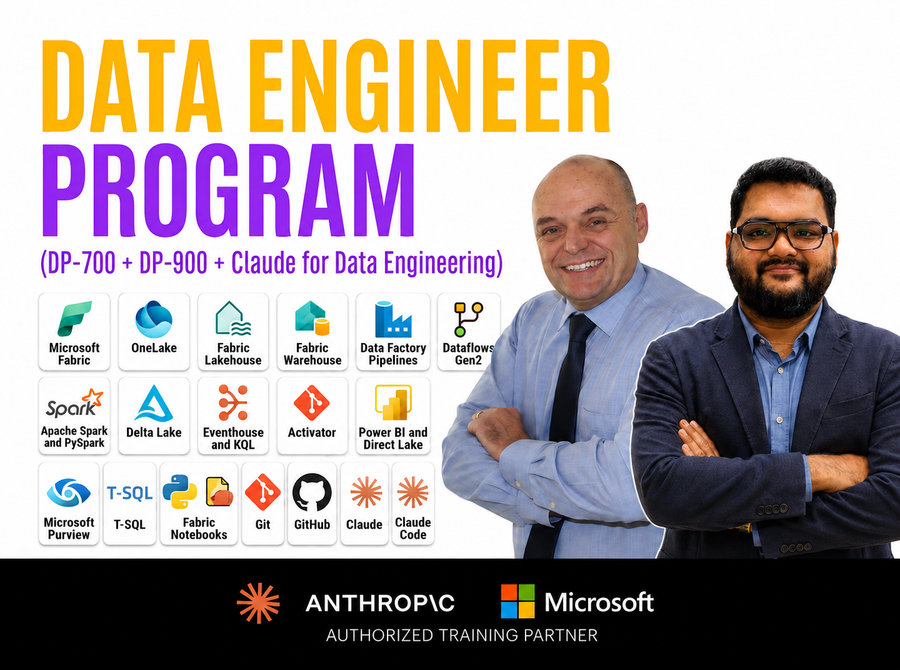
A live weekend program over 8 weeks covering Microsoft Fabric data engineering for DP-700, DP-900 fundamentals included. The course page lists hands on projects, mentor support and placement guidance, next batch 25 Oct 2026.
Explore the course
What Usually Goes Wrong in Your First Microsoft Fabric Lakehouse
Four mistakes that cost beginners a weekend each
Each is a design misunderstanding, not a bug
Treating the SQL endpoint as a database
You connect SSMS, try to create a table, it refuses. If you genuinely need read write T-SQL, that is Warehouse.
Read only by designEditing the file and expecting the table to change
Files holds raw objects, Tables holds Delta tables with a transaction log. Replacing the CSV changes nothing until the notebook runs.
Bronze is not silverLeaving the capacity running
Fabric bills by the hour, not by query. An idle F2 costs what a busy one costs, and the trial hides that for 60 days.
Pause when you stopBuilding every layer in one notebook
Keep bronze raw, silver typed, gold aggregated, one notebook each. It matters when a step fails at 3am.
One layer per notebookFrom Microsoft's Fabric lakehouse and known issue pages, 24 October 2026.
Errors you will actually see, and the fix
| What you see | Why | Fix |
|---|---|---|
| Lakehouse missing from the New menu | Workspace is on Power BI Pro, not a Fabric capacity | Workspace settings, License info, switch to Trial |
Path does not exist: Files/bronze/claims_2026.csv |
No default lakehouse, so the relative path resolves nowhere | Pin the lakehouse, or use the full abfss:// path |
Table or view not found in the SQL endpoint |
Metadata sync has not caught up with the Spark write | Refresh the endpoint, or add the script activity |
| Write fails on schema mismatch | Delta enforces schema on overwrite | Add .option("overwriteSchema", "true"), only when you mean it |
Where Fabric Is Genuinely the Wrong Tool
If your whole requirement is one Power BI report over one SQL Server, Fabric is overkill. Stay on Power BI Pro with a scheduled refresh: less to pay, less to debug, nobody asking what a capacity unit is. That path is what the PL-300 Data Analyst course is built around.
Fabric is also a poor fit for reporting that must be accurate to the minute. The endpoint sync lag is documented by Microsoft as an open issue, and community reports describe waits well past a brief delay on busy tenants. If a supervisor needs a count correct right now, serve it from the source system, not from T-SQL over a lakehouse loaded four minutes ago. Anyone selling Fabric as real time oversells it.
On the upside, with the caveat that the figures are self reported by the implementer: the consultancy Numlytics published a 2026 case study of a Fabric migration for a UK development foundation's Power BI estate, reporting a 38 percent cut in infrastructure cost and overnight latency down to 30 minutes, after auditing 173 reports, retiring 68 unused and migrating 105 in two waves. The number worth copying is not the percentage. It is that they deleted roughly 40 percent of the reports first.
Where to Take This Next
You now have the loop every Fabric job runs on: land, transform, publish, schedule, maintain. Next, in order: a gold layer with a star schema, a Direct Lake report over it, the workspace in Git. After that DP-700 is largely vocabulary, with trackers putting the fee near $165 USD and the pass mark at 700 of 1000.
In your position I would not book the exam yet. I would build this pipeline three more times on three different datasets, because the fourth is when you stop looking things up, and that is the version you can talk through in an interview. For that structured, the Microsoft Fabric Data Engineer course runs DP-700 with DP-900 fundamentals over 50+ hours of live weekend classes. If Azure architecture is where you are headed, the AZ-305 and AZ-400 track sits beside it, the certifications overview maps how the Microsoft and Anthropic routes connect, and engineers heading for RAG want the AI Engineer course. Not ready to pay? Sit in on a free webinar or book a demo class.
Related guides
- Microsoft Fabric vs Databricks in 2026 before committing a year to one platform.
- DP-700 vs DP-900 which exam to book now you have touched the product.
- Data engineer salary in India 2026 what this skill is advertised at.
- Data engineer jobs in Hyderabad 2026 where Fabric roles cluster hardest.
- Data engineering projects for 2026 five more builds beside this one.
Frequently asked questions
Is this Microsoft Fabric tutorial free to follow?
Yes, for 60 days. Microsoft's trial documentation describes a Fabric trial needing no credit card, provisioned as 4 or 64 capacity units. Everything here runs inside it. After expiry you move to a paid F SKU, from about $0.36 an hour.
What is the difference between a lakehouse and a warehouse in Microsoft Fabric?
A lakehouse holds Delta tables written by Spark, with a read only SQL endpoint over them. A warehouse is a read write T-SQL engine supporting INSERT, UPDATE and stored procedures. Both store Delta Parquet in OneLake. Pick lakehouse if you write Python.
Do I need to know Python to learn Microsoft Fabric?
Not to start, but yes to be employable. Every production Fabric job that comes up in interviews is a PySpark notebook, and DP-700 assumes you can read one. Learning enough to write the cells above takes a weekend.
Why can I not insert rows through the SQL analytics endpoint?
It is read only by design: a T-SQL surface over Delta tables Spark owns. Writes go through a notebook, pipeline or dataflow. If you need T-SQL writes, create a Warehouse item.
Can I use Microsoft Fabric with data sitting in AWS S3?
Yes, through a OneLake shortcut, which references the external location instead of copying data. It is the most underrated feature for teams on two clouds, and why people doing AWS architecture work end up in Fabric conversations.
Is DP-700 worth taking after a Microsoft Fabric tutorial like this one?
Once you have built three or four end to end, not before. Trackers put the fee near $165 USD and the pass mark at 700 on a 1000 point scale. The certificate opens screening filters; the lakehouse gets you through the technical round.
About this guide. 360 Digital Transformation is an Anthropic Partner and a Microsoft Authorized Training Partner. Other certification bodies, vendors and employers named here are not affiliated with us. Tools and versions change quickly; commands and figures cited were checked on 24 October 2026.
 Microsoft Fabric
 Python