Home › Guides › Run an LLM locally
Tech Explained · 2026How to Run an LLM Locally in 2026: Ollama Commands, Hardware and What It Really Costs
To run an LLM locally, install Ollama, pull an open-weight model with one command, then query it at localhost port 11434, which is where Ollama binds by default. Nothing leaves your machine. The catch most people miss: the context window defaults to 4k below 24GB of VRAM, so long documents get silently truncated.
-
Three commands get you running. Install Ollama,
ollama run gemma4, and you have a chat loop. Everything after that is configuration. - The 4k context default is the number one gotcha. Ollama's docs state the default context is 4k below 24 GiB of VRAM. Your 256k-context model will still truncate at 4k until you change it.
- Your existing code probably works unchanged. Ollama exposes both OpenAI-compatible and Anthropic-compatible endpoints, so you can point an existing SDK at localhost and swap the model name.
- Memory maths is simple. At 4-bit quantisation, budget roughly half a gigabyte per billion parameters for weights, then add KV cache on top.
- Local is not automatically cheaper. Anthropic's own documentation prices 10,000 support tickets at about $37 on Claude Haiku 4.5. A GPU that idles most of the day loses that comparison badly.
- The real reason to self-host is data, not money. If customer PII cannot leave your network, the cost argument stops mattering.
Your legal team forwards 40,000 customer emails and asks for a summary by Friday. Half of them carry policy numbers and PAN details, and your compliance lead has just put in writing that nothing containing customer PII goes to a third-party API. That is the moment most Indian engineering teams discover local models. It is usually also the moment they discover that "just run it locally" hides about six decisions, and that the first four hours go to memory errors rather than prompts.
The running example below is a two-person data team at a mid-size insurer in Pune, with one workstation carrying a 16GB GPU and no dedicated ML infrastructure.
Why Run an LLM Locally at All, and When You Should Not
There are exactly three reasons that survive contact with a budget meeting. Data residency, because the records legally cannot leave your network. Latency floor, because a local 4B model answers in under a second with no network hop. And unmetered iteration, because when you are tuning a prompt for the two-hundredth time you stop thinking about the meter.
Everything else people claim about local models is weaker than it sounds. Quality is the honest caveat here: an open-weight model you can fit on a 16GB card will not match a frontier hosted model on hard reasoning, long-horizon tool use, or messy multi-step extraction. It will match it on classification, tagging, redaction, summarising a paragraph, and turning free text into JSON. If your task is in the first group, self-hosting is a downgrade you are choosing to pay for.
My actual recommendation: run locally for anything that touches regulated data or runs in a tight loop during development, and keep a hosted API for the hard 10% of requests. The trade-off you are accepting is two code paths instead of one, and that is a real cost in maintenance.
Three numbers to memorise before you start
Every local-model support thread eventually turns out to be one of these three defaults.
All three taken from Ollama's official documentation, checked 13 September 2026.
How to Run an LLM Locally in Ten Minutes: The Ollama Quickstart
Ollama is the tool I would hand a beginner today, and the reason is narrow: it bundles the model download, the quantisation format, the GPU detection and a local HTTP server into one binary. The current release is v0.34.0, published on 5 September 2026 according to the project's GitHub releases page, and it added the ability to drive Ollama models from ChatGPT Desktop.
# Linux, one line. macOS and Windows have installers on the site.
curl -fsSL https://ollama.com/install.sh | sh

# Pull and chat with a model in one command.
ollama run gemma4

# In a second terminal: what is loaded, and where is it running?
ollama ps
That ollama ps output is the most useful thing on the page. It shows you the loaded model, how much memory it took, whether the processor column says GPU or CPU, and the context it actually allocated. If it says 100% CPU, your GPU was not detected and you are about to blame the model for being slow.
Local LLM Hardware Requirements, Without the Hand-Waving
Ollama's GPU documentation is specific about the floor: NVIDIA cards need compute capability 5.0 or higher and driver version 550 or newer, AMD needs the ROCm v7 driver stack on Linux, and Apple Silicon is accelerated through Metal. Below that you fall back to CPU, which works but turns a one-second answer into thirty.
For memory, you can do the arithmetic yourself and skip the forum arguments. At 4-bit quantisation each parameter costs roughly half a byte, so a model with N billion parameters needs about N/2 GB for weights, plus a bit of overhead, plus KV cache that grows with your context length. Google's Gemma 4 release ships in five sizes, E2B, E4B, 12B, 26B-A4B and 31B, which makes it a convenient ladder to reason about.
Approximate weight memory at 4-bit quantisation
Weights only. Add KV cache on top, which is what actually pushes you over the edge at long context.
Calculated at roughly 0.55 bytes per parameter for 4-bit weights. Gemma 4 size names from Google's Gemma 4 release. Checked 13 September 2026.
The interesting row is the 26B mixture-of-experts model. It loads all 26 billion parameters into memory, so you pay the full 14GB, but it only activates about 4B of them per token, so it runs at roughly the speed of a 4B model. On a 16GB card that is the best quality-per-second trade you can currently make.
Also read: Docker Tutorial for Beginners 2026, if you want the model server and your API in the same compose file.
How Ollama Actually Works Under the Hood
Ollama is not one process. It is a background HTTP server plus a runner process it spawns per model, and understanding that split explains most of the odd behaviour you will hit.
What happens between your curl command and the GPU
Four hops. Every troubleshooting step in this guide targets one of them.
Ports, paths, engine names and the keep-alive default are from Ollama's official docs, checked 13 September 2026.
Two consequences fall straight out of that picture. First, the model store lives on disk at ~/.ollama/models on macOS, /usr/share/ollama/.ollama/models on Linux and C:\Users\%username%\.ollama\models on Windows, and you can relocate it with OLLAMA_MODELS. Point it at your big drive before you download 40GB to a root partition with 12GB free.
Second, the runner unloads after five minutes idle. That is why your first request after lunch takes twenty seconds and every request after it takes two. On a shared box you want OLLAMA_KEEP_ALIVE=-1 to pin the model in memory, and on your laptop you want the default so your battery survives.
Ollama Commands You Will Actually Use
The CLI surface is small, which is a design virtue. These are the ones that earn their keep.
| Command | What it does | When you reach for it |
|---|---|---|
ollama run gemma4 |
Pulls if needed, loads, and opens a chat loop | First contact with any model |
ollama pull gemma4 |
Downloads without starting a session | Warming a machine overnight before a demo |
ollama ls |
Lists everything on disk with sizes | Finding the 30GB you forgot about |
ollama ps |
Shows loaded models, memory, CPU or GPU, context allocated | Every single time something is slow |
ollama stop gemma4 |
Unloads a model immediately | Freeing VRAM before loading a bigger one |
ollama rm gemma4 |
Deletes the model from disk | Reclaiming space |
ollama create -f Modelfile |
Builds a variant with a baked-in system prompt and parameters | Shipping one consistent config to your team |
ollama serve |
Runs the server in the foreground | Reading logs, or setting env vars for one run |
The one people skip is ollama create. A Modelfile lets you pin the system prompt, temperature and context length into a named model, so your teammate's results match yours instead of depending on whatever they typed. If you are building anything you intend to evaluate, do this on day one.
The 4k Context Trap and What Else Goes Wrong
Here is the one that costs people an afternoon. Ollama's context-length documentation states that the default context scales with your hardware: under 24 GiB of VRAM you get 4k tokens, and only at 48 GiB and above do you get 256k. So our Pune team loads a model advertising a 256k context, pastes in a 30-page policy document, and gets a confident summary of the first four pages with no warning anywhere. The model did not hallucinate. The server truncated the input before the model saw it.
# Raise it for the whole server, then confirm with ollama ps.
OLLAMA_CONTEXT_LENGTH=64000 ollama serve

# Check what was actually allocated, not what you asked for.
ollama ps
Remember that context is not free: KV cache grows with the window, so a 64k context on a 16GB card can push a model that fitted comfortably at 4k straight into CPU offload. If ollama ps flips from 100% GPU to a split, that is what happened.
- You benchmark on a cold model. First token includes the load. Run the prompt twice and time the second.
-
You expose the server without meaning to. Setting
OLLAMA_HOST=0.0.0.0to reach it from a laptop also opens an unauthenticated inference endpoint to your network. Bind it to a specific interface, or put it behind a reverse proxy. - You compare quantisations, not models. A 4-bit 12B and an 8-bit 12B are different animals. Note the quantisation in every eval row or the numbers mean nothing.
| Symptom | Likely cause | Fix |
|---|---|---|
| Answers ignore the end of a long document | Context silently truncated at the 4k default | Start the server with OLLAMA_CONTEXT_LENGTH raised, verify with ollama ps
|
| Generation is 10x slower than expected | Model offloaded to CPU, or GPU not detected | Check the processor column in ollama ps; confirm NVIDIA driver 550+ and compute capability 5.0+ |
| First request of the hour is very slow | Runner unloaded after the 5 minute idle default | Set OLLAMA_KEEP_ALIVE=-1 on a shared server |
| Out of memory after raising context | KV cache growth, not weight size | Lower the context, or move down one model size |
| Disk full partway through a pull | Models landing on the system partition | Set OLLAMA_MODELS to a path on your large drive |
| GPU vanishes after laptop sleep on Linux | Documented NVIDIA suspend and resume issue | Reload the NVIDIA kernel modules, then restart the Ollama service |
The Ollama API: Your Existing SDK Probably Works Unchanged
This is the part that changed local models from a toy into something you can put behind a feature flag. Ollama serves a native REST API at http://localhost:11434 with endpoints including /api/chat, /api/generate, /api/embed, /api/tags and /api/ps. That alone is enough to wire it into anything.
curl http://localhost:11434/api/chat -d '{
  "model": "gemma4",
  "messages": [{ "role": "user", "content": "Classify this email as CLAIM, RENEWAL or OTHER. Reply with one word." }]
}'
More useful for migration work: it also speaks other providers' shapes. Ollama's OpenAI-compatibility docs give a base URL of http://localhost:11434/v1/ with an API key of ollama that is required but ignored, covering /v1/chat/completions, /v1/completions, /v1/models, /v1/embeddings and /v1/responses.
from openai import OpenAI

client = OpenAI(
    base_url='http://localhost:11434/v1/',
    api_key='ollama',  # required but ignored
)

chat_completion = client.chat.completions.create(
    messages=[{'role': 'user', 'content': 'Say this is a test'}],
    model='gpt-oss:20b',
)
print(chat_completion.choices[0].message.content)
There is now an Anthropic-compatible surface too, which is the detail I would not have predicted a year ago. Ollama documents a /v1/messages endpoint accepting the Anthropic request shape, including system prompts, streaming, vision, tool use and thinking blocks. If your team is preparing for the Claude Certified Developer Foundations exam, this means you can practise the Messages API request and response shape, tool-use loops and streaming events against a local model at zero marginal cost, then change one base URL when you move to production.
curl -X POST http://localhost:11434/v1/messages \
-H "Content-Type: application/json" \
-H "x-api-key: ollama" \
-H "anthropic-version: 2023-06-01" \
-d '{
  "model": "qwen3-coder",
  "max_tokens": 1024,
  "messages": [{ "role": "user", "content": "Hello, how are you?" }]
}'
For retrieval work, /api/embed gives you a local embedding model, which means a document index you can rebuild a hundred times without watching a bill. Building that end to end, chunking through reranking, is the backbone of 360DT's live AI Engineer course, and the local-first version is the cheapest way to learn it.
Also read: Retrieval Augmented Generation Explained for what happens to those embeddings once you have them.
What Does It Actually Cost to Run an LLM Locally?
Run the numbers before you buy a GPU, because the answer is less flattering than the self-hosting posts suggest. Anthropic's pricing documentation, checked today, lists Claude Haiku 4.5 at $1 per million input tokens and $5 per million output, and includes a worked example putting 10,000 support tickets at roughly 3,700 tokens each at about $37 total.
Take our Pune insurer's 40,000 emails. At the same token profile that is about $148, call it Rs 13,000, once. A workstation GPU capable of running a 26B model comfortably costs somewhere between Rs 80,000 and Rs 2,50,000 depending on how you buy it, before power and before the engineer time to keep it running. On a one-off batch, the API wins and it is not close.
Break-even needs three things true at once: continuous volume rather than one batch, a GPU busy most of the day, and someone who already owns the operational work. Two of those are utilisation, which is the number people forget. A GPU at a 10% duty cycle is an expensive space heater.
So do not self-host to save money unless you have measured your utilisation. Self-host because the data cannot leave, or because your development loop needs to be free. If the driver is cost alone, batch processing on a hosted API at a 50% discount will usually beat you, with none of the pager duty. Teams who do go on to serve models properly, with autoscaling and monitoring, land in the territory covered by a live MLOps engineering program, and by the GPU instance and networking work in an AWS Solutions Architect and DevOps course.
Where Local Models Fit in a Real AI Engineering Stack
Back to the insurer. What they actually shipped was a split: a local 12B model does PII redaction and category classification on every email as it arrives, because that stage touches raw customer data and runs constantly. The redacted summaries then go to a hosted model for the harder job of drafting a reply, because that stage needs the quality and no longer contains anything sensitive.
Describe that pattern in an interview, a local model as the privacy boundary with a hosted model behind it, and you are showing that you reason about where data goes rather than about which model scores highest on a leaderboard.
Two more places local models earn their keep. Coding assistants, where a mid-size model on your own machine gives you completion without shipping proprietary source anywhere. And evaluation harnesses, where you run the same 500 test prompts twenty times in an afternoon while tuning a system prompt, and a meter would make you cautious exactly when you should be reckless. Deciding which stage belongs local and which belongs hosted is architecture work, the kind assessed in the Claude Certified Architect Foundations track and covered across 360DT's full certifications lineup.
Also read: 8 Generative AI Project Ideas for 2026 if you want something to point a local model at this weekend.
Go from running a local model to shipping agents that use tools
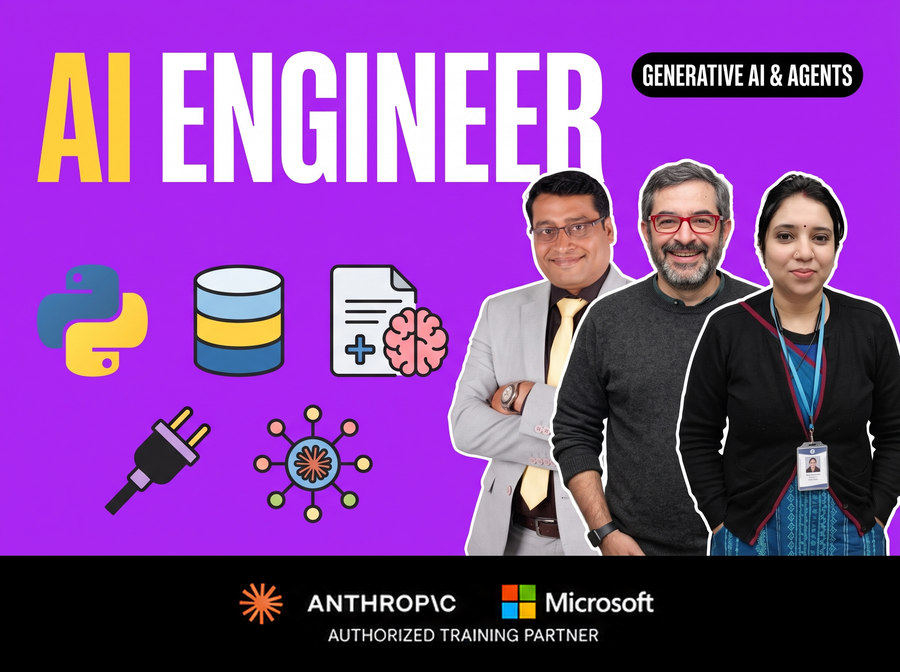
The AI Engineer course covers generative AI, RAG and AI agents across 16 weeks of live sessions, certified on both Microsoft Copilot Studio and Claude Code. You build agents that plan, call tools and act, rather than stopping at a chat window.
Explore the course
What I Would Do in Your Position
Install Ollama tonight and pull a 4B model even if your laptop is modest. Spend an hour learning what ollama ps tells you, raise the context length once so you have felt the 4k trap, and point an existing SDK at localhost so you know the migration is a one-line change. That hour is worth more than a week of reading comparisons.
Then be disciplined about the second question. Local models are a privacy and iteration tool first and a cost tool a distant third, and a team that self-hosts for the wrong reason ends up maintaining infrastructure it does not need. If you want the guided version of this, with the RAG and agent layers built on top, the live AI Engineer course is the direct path, and a free 360DT webinar is a lower-commitment way to see whether the depth suits you before you spend anything.
Related guides
- A2A Protocol Explained in 2026 the next layer up, once your local model needs to talk to other agents.
- AI Engineer vs Machine Learning Engineer in 2026 which of the two roles actually spends its week doing work like this.
- MLOps Engineer Salary in India 2026 what the people who run model serving in production are paid.
- What Is Claude Cowork in 2026 the hosted end of the spectrum, for comparison with what you just built.
- Enterprise AI Agents in 2026 why the pilot-to-production gap is rarely about the model.
Frequently asked questions
How do you run an LLM locally on a laptop with no GPU?
It works, it is just slow. Ollama falls back to CPU when it finds no supported GPU, so a 4B class model at 4-bit quantisation will run in about 2.2GB of system RAM and answer at reading speed rather than instantly. Stay at 4B or below, keep the context small, and check the processor column in ollama ps so you know which path you are on.
How much RAM do I need to run a local LLM?
Budget roughly half a gigabyte per billion parameters for 4-bit weights, then add KV cache for your context window on top. An 8B model needs about 4.4GB of weights, a 12B about 6.6GB, and a 31B about 17GB. Leave headroom: a model that fits exactly will spill to CPU the moment you raise the context length.
Is Ollama free, and does it send my prompts anywhere?
Ollama is free and open source, and its official FAQ states that when you run locally the project does not see your prompts or data. The models are separate: most open-weight models carry their own licence, so check the terms of the specific model before commercial use. Ollama also offers cloud-hosted models, which are a different thing and do involve sending data.
Can I use my existing OpenAI or Anthropic code with a local model?
Yes, in most cases by changing the base URL. Ollama documents an OpenAI-compatible base URL of http://localhost:11434/v1/ and an Anthropic-compatible /v1/messages endpoint, both accepting ollama as a placeholder API key. Tool use and streaming are supported on both. Server-side features that are specific to a hosted provider, such as managed web search, are not.
Why is my local model ignoring part of my document?
Almost certainly the context default. Ollama's documentation sets a 4k context on machines with under 24 GiB of VRAM regardless of what the model itself supports, and the excess input is dropped without an error. Start the server with OLLAMA_CONTEXT_LENGTH set higher and confirm the allocated context in ollama ps.
Which local model should a beginner start with in 2026?
Start with a 4B class model so you learn the tooling without fighting memory, then move up once the workflow is comfortable. If you have a 16GB GPU, a mixture-of-experts model in the 26B range is the best value available, because it loads all its weights but activates only a few billion parameters per token, so quality goes up without the speed penalty of a dense model that size.
Is it cheaper to run an LLM locally than to use an API?
Only at sustained high volume on hardware you keep busy. As a reference point, Anthropic's pricing documentation prices Claude Haiku 4.5 at $1 per million input tokens and gives a worked example of about $37 for 10,000 support tickets. Against numbers like that, a GPU that idles most of the day does not pay for itself. Self-host for data residency or free iteration, and treat any saving as a bonus.
Can I run a local LLM on a team server instead of my laptop?
Yes, and it is usually the better setup because one GPU gets shared. Ollama binds to 127.0.0.1 by default, so you change the bind address with OLLAMA_HOST. Treat that as a security change, not a config tweak: the endpoint has no authentication of its own, so put it behind a reverse proxy or restrict it to a private subnet before anyone uses it.
About this guide. 360 Digital Transformation is an Anthropic Partner and a Microsoft Authorized Training Partner. Other certification bodies, vendors and employers named in this guide are not affiliated with us. Tools and versions change quickly; commands and figures cited were checked on 13 September 2026.
 Python
 Claude API
 FAISS
FAISS ChromaDB
 LangChain
 LangGraph
 CrewAI
 AutoGen (AG2)